About
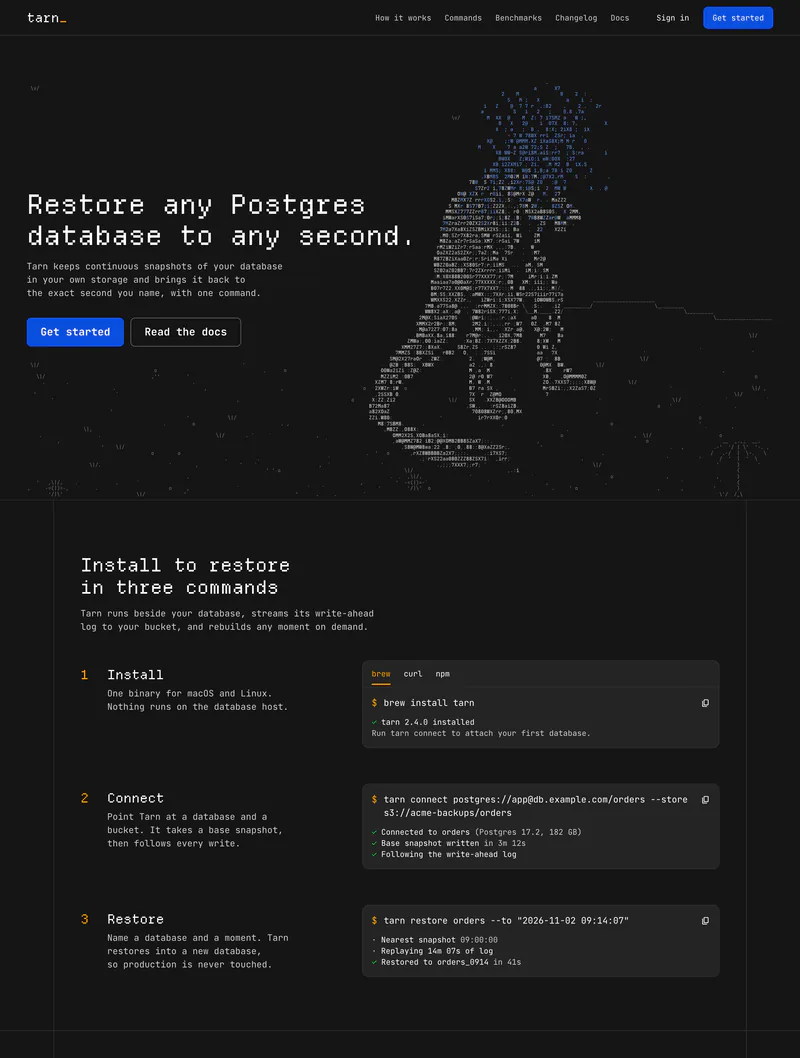
Sell a technical product the way its users work: one dark ground, monospace type, real commands to copy, their output, and pictures drawn in text.
Make a developer tool feel exact, honest, and quick to try. Terminal suits products people run from the command line: the install line is the main action, and visitors see the result before they run it.
Brief first
Your agent asks how the page should open, which colors, and which type. Then it builds.
Creative purpose
The language of today’s command-line tools, as developers use them. Real commands, real output, and plain words beside them do the work.
Art direction
Like a well-made command-line tool: every word in a monospace face, commands in quiet panes followed by the output they print, and lists aligned on character columns. Each command sits beside a short explanation in plain words.
Text scene
The opening shows a living picture drawn from characters: one subject tied to what your product does or what its name means, in a quieter setting drawn the same way. Charts are drawn in text too, from runs of block characters.
Typography
Departure Mono, a crisp modern pixel face, sets the headings, and JetBrains Mono sets everything else, or your own design system typeface for headings and reading. Commands, output, and the text scene always stay in JetBrains Mono.
Colors
Before it builds, your agent shows your three Alpy brand colors and asks whether to keep them or use others. Your third brand color marks prompts and versions, a light step of your first marks data, and its full color fills only the main buttons.
Motion
Only the text scene keeps moving: its subject arrives the way your product works and keeps small signs of life. Output prints one whole line at a time, and with reduced motion on, the scene is one still frame.
Responsive
The page adapts from desktop to phone in its reading order, with steady margins and headlines that read on a small screen.
Accessible
Checked for contrast, focus, and reading order.
Purposeful
Every label, number, and panel carries real content.
Best for
- Developer tools and CLIs. Make the first run the pitch. Lead with the install line and its output, then the commands.
- Databases and infrastructure. Show reliability in real numbers. Lead with one command and its result, then benchmarks and configuration.
- APIs and SDKs. Show the first call working. Lead with a request and its response, then endpoints and pricing.
- Open-source projects. Make starting feel close. Lead with install and a quick start, then the changelog and how to contribute.
- Technical documentation. Make every page easy to act on. Lead with the command people need, then what it does in plain words.
FAQs
Connect Alpy MCP to your AI agent and ask it to build with the Terminal skill. It asks a few questions first, then builds after you confirm.
Yes. Before it builds, your agent asks whether to use the style's colors and typefaces or the ones in your Alpy design system.
It follows the same pattern: grid, color use, type, and components. Your agent applies it to your own content, photos, and brand.
Yes. On phones every style keeps a 24 px side margin and left-aligned headlines, and the page reflows in its reading order.
Any agent connected to Alpy MCP, including Claude, Codex, Cursor, and Figma.